
Table of Contents
- Common Causes of Equipment Downtime
- Build a Heavy Equipment Maintenance Checklist
- Use a Construction Equipment Inspection Checklist Daily
- Start Equipment Downtime Tracking
- Plan Maintenance Across Mixed Fleets and Subcontractors
- Respond Fast When a Machine Fails on Site
- Step 1: Make the scene safe and stop the clock
- Step 2: Triage by criticality, not by noise
- Step 3: Diagnose with the record, not from scratch
- Step 4: Decide repair versus replace on stated criteria
- Step 5: Escalate on thresholds, not on feel
- Step 6: Communicate schedule impact the same day
- Step 7: Close the loop in the record
- Fund Replacements and Spare Capacity Before Peak Phases
- Conclusion
- Frequently Asked Questions
Last Updated: October 17, 2026
Common Causes of Equipment Downtime
Reducing downtime for construction equipment starts with knowing what actually breaks machines. Most unplanned downtime traces back to a small set of manageable causes.
Equipment downtime is time a machine sits idle when it should be working, breakdowns, waiting on parts, and service that runs long.
Mechanical Failures and Wear
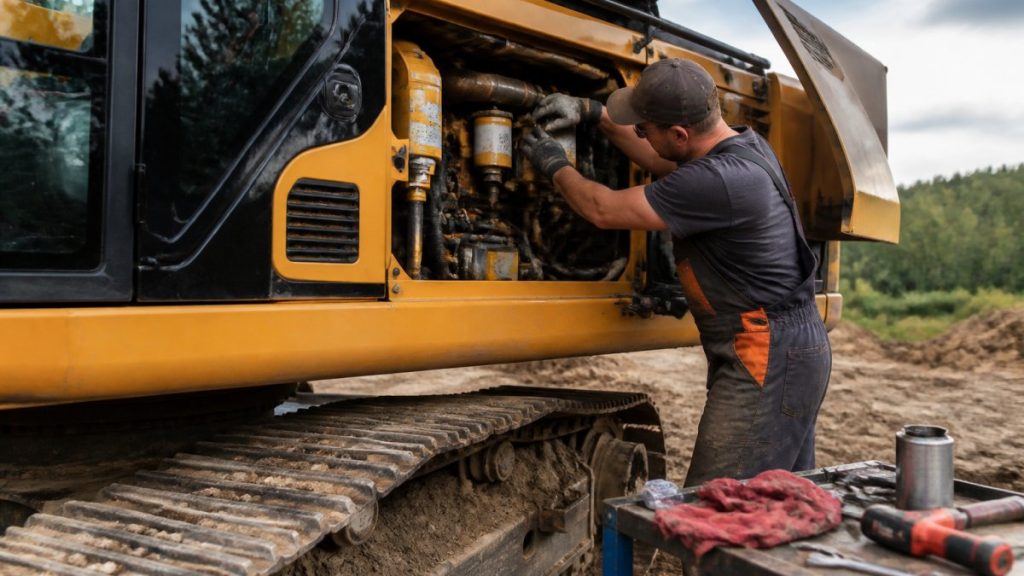
Wear parts fail first. Hoses, belts, undercarriage components, and hydraulic lines take constant abuse; a burst hose can sideline an excavator for a full shift. The common mistake is fixing the loud problem and ignoring the quiet one, a small hydraulic leak today becomes a pump failure next month.
Operator Error and Site Conditions
Operators drive failure as often as bad parts do. Running a machine past its limits, skipping warm-up, or ignoring warning lights shortens component life. Mud, dust, and extreme heat stress every system, and a machine in abrasive dust needs more frequent filter changes than the manual suggests.
Skipping a pre-shift walkaround to save ten minutes is the most common costly shortcut on a jobsite. One missed hydraulic leak can turn into a full pump replacement and days of lost production.
Build a Heavy Equipment Maintenance Checklist
A heavy equipment maintenance checklist assigns every service task a machine, an interval, and an owner. Start with the manufacturer’s intervals, then tighten them for hard use, a machine running double shifts needs closer attention than one on light duty.
Build the checklist around three tiers:
- Daily: fluid levels, tire or track condition, warning lights
- Weekly: greasing, filter checks, hose inspection
- Monthly or hourly-based: full service, component inspection, fluid analysis
Assign one person to own the schedule. When everyone owns maintenance, no one does.
Use a Construction Equipment Inspection Checklist Daily
A construction equipment inspection checklist catches problems before they become breakdowns. Run it before every shift, while small faults are still cheap to fix.

Pre-Shift Walkaround Items
- Check engine oil, coolant, and hydraulic fluid levels
- Look for leaks under the machine
- Inspect hoses and belts for cracks or wear
Log every finding. A pattern of repeat issues on one machine signals a deeper problem worth a full diagnostic.
Photograph the walkaround sheet each shift and store it with the machine’s service history. When a failure happens, the photo log shows exactly when the fault first appeared.
Start Equipment Downtime Tracking
Equipment downtime tracking means recording every idle event with a cause, a duration, and a fix. Without it, downtime feels random; with it, downtime becomes a number you can shrink. Record each event the same day, memory fades fast and vague notes are useless later.
Baseline KPIs to Record
| KPI | What It Measures | Why It Matters |
|---|---|---|
| Equipment availability | Percent of time a machine is ready to work | Shows overall fleet health |
| Mean time between failures | Average run time before a breakdown | Reveals reliability trends |
| Mean time to repair | Average hours to fix a machine | Shows how fast response works |
| Downtime hours per machine | Total idle hours by unit | Flags your worst offenders |
| Repair response time | Time from report to technician on site | Measures your service process |
Review these numbers monthly. A machine that keeps landing at the top of the downtime list is either aging out or being pushed too hard.
Plan Maintenance Across Mixed Fleets and Subcontractors
Mixed fleets are where maintenance planning falls apart. One site can carry owned iron, a long-term rental, two dealer loaners, and equipment from three subcontractors, each with its own service interval, records, and idea of who is responsible when something breaks. Coordination is the hard part, and that is where the hours are lost.
Build one register before you build one calendar
Start with a single equipment register that lists every unit on site, regardless of who owns it. For each machine, capture:
- Unit number, make, model, and year
- Owner (company, rental house, or subcontractor)
- Current hour meter reading and date captured
The register is the source of truth; the calendar is a view of it. When a rental swaps out or a subcontractor rolls in a different machine, the register updates first and the calendar follows.
Assign a single maintenance coordinator
One named person, a shop lead, fleet administrator, or site superintendent on smaller jobs, owns the register and calendar. Their job is not to turn wrenches but to:
APPLY NOW AND GET YOUR BUSINESS PRE-APPROVED FOR FINANCING TODAY ! →
- Confirm hour meter readings weekly for every unit, owned or not
- Flag any unit approaching a service interval
- Confirm the service happened and the record was filed
- Escalate when a subcontractor’s unit is overdue
When responsibility is split across owners, the coordinator is the only person with a full view. Without that role, overdue services hide inside separate systems.
Put subcontractor expectations in the contract, not a conversation
Verbal reminders do not survive a busy schedule. Write equipment obligations into the subcontract before mobilization:
- Daily pre-shift inspection sheets submitted to the coordinator each morning
- Proof of service at the manufacturer’s interval, records shared on request
- A named breakdown contact and a stated response window
A subcontractor’s failed excavator still stops your crew. The contract gives the coordinator standing to act before that happens.
Handle rentals and loaners as first-class units
Rental and loaner machines are the most common blind spot: they arrive with unknown service history and leave without warning. Treat them like owned iron:
- Log the hour meter at delivery and at return
- Ask the rental house for the last service date and next due interval
- Add the unit to the register and calendar the day it lands
A rental that fails mid-project can take longer to repair than an owned machine because the service path runs through a third party. Know that path in advance.
Reconcile records on a fixed cadence
Set a weekly fifteen-minute review where the coordinator reconciles the register against inspection sheets, service invoices, and hour meter readings. The goal: no unit on site past its service interval without a documented reason.
One shared register, one coordinator, and written subcontractor obligations beat five separate calendars. When every machine on site sits in the same system, nothing falls through the cracks between owners.
Contractors who need to add capacity rather than coordinate it can line up fleet expansion capital and heavy equipment loans before peak season, so a replacement unit does not become its own source of downtime.
Respond Fast When a Machine Fails on Site
Speed decides how much a breakdown costs, but speed without a plan creates unsafe scenes, misdiagnosed faults, and crews waiting for direction. A written response plan turns a failure from a scramble into a sequence. Write it before you need it.
Step 1: Make the scene safe and stop the clock
The operator’s first job is not to diagnose. It is to:
- Park the machine on stable ground, away from active work
- Shut down per the manufacturer’s procedure and isolate energy sources
- Set barriers and lockout/tagout where required
Every minute between failure and report is unrecorded downtime. The report starts the clock and the log.
Step 2: Triage by criticality, not by noise
Not every failure deserves the same response. Classify the unit before dispatching anyone:
| Class | Definition | Response |
|---|---|---|
| Critical-path | Failure stops production on the controlling work activity | Dispatch immediately; escalate to the coordinator and project manager |
| Support | Slows work but does not stop it | Schedule same-day or next-shift repair |
| Redundant | Another unit covers the task | Repair on the next planned window |
A support machine that fails loudly can pull attention away from a quiet critical-path issue. Triage by what the unit does, not by how dramatic the breakdown looks.
Step 3: Diagnose with the record, not from scratch
Before a technician arrives, pull the unit’s history: inspection sheets, service records, hour meter, and repeat findings. A fault that has appeared three times on the walkaround log is a different problem than a first-time failure. Give the technician the history and a clear description of the symptom, what the operator saw, heard, and smelled.
Step 4: Decide repair versus replace on stated criteria
On an active job, the repair-versus-replace call is often made under pressure. Set the criteria in advance:
- Repair when the unit is critical-path, the fix fits the provider’s response window, and major components have service life left
- Swap when a comparable unit can be mobilized faster than the repair can be completed
- Replace when the failure is the latest in a pattern of repeat breakdowns, or the repair timeline runs past when the unit is needed
The coordinator makes the call with the project manager. The operator does not.
APPLY NOW AND GET YOUR BUSINESS PRE-APPROVED FOR FINANCING TODAY ! →
Step 5: Escalate on thresholds, not on feel
Set escalation triggers in the plan so no one has to decide in the moment whether a problem is serious:
- Any critical-path unit down past four hours escalates to the project manager
- Any repair that slips past the provider’s quoted window escalates to the coordinator for a swap decision
- Any repeat failure on the same unit within a set window triggers a full diagnostic review
Thresholds remove the debate. When the trigger hits, the next person is already involved.
Step 6: Communicate schedule impact the same day
A breakdown that is not communicated becomes a surprise, and surprises cost more than repairs. The coordinator sends a short daily note to the project manager and affected crews covering:
- Which unit is down and its triage class
- Expected repair window or swap plan
- Affected work activities and the revised sequence
Crews redirected to another task need to know before the shift starts.
Step 7: Close the loop in the record
When the machine is back, update the service history, downtime log, and register. Note the cause, the fix, the hours down, and whether the response met the plan. A failure that is logged and reviewed becomes a data point; one fixed and forgotten becomes a repeat.
Skipping the report to “save time” is the most common failure in a response plan. An unreported breakdown never enters the downtime log, never triggers escalation, and never gets reviewed, so the same fault returns on the next shift.
A response plan only works if the machine can actually be repaired or replaced on schedule. Contractors who keep spare capacity funded ahead of peak season, or who line up financing for older equipment before a failing unit forces the decision, spend less time waiting on capital while a critical-path machine sits idle.
Fund Replacements and Spare Capacity Before Peak Phases
The best downtime plan includes a plan for capital. Aging machines fail more often, and a replacement that takes weeks to fund becomes its own source of downtime.
Always Capital provides fast, flexible heavy equipment and commercial vehicle financing for businesses.
Contractors can get pre-approved for heavy equipment financing covering excavators, dozers, loaders, and dump truck financing.
Conclusion
Downtime is not bad luck. It is a pattern you can measure, plan around, and reduce. Start with daily inspections, track every idle hour, and fund replacements before peak season.
Always Capital helps contractors keep iron working with fast approvals, 100% financing, and soft credit pulls. Get pre-approved for heavy equipment financing and keep your fleet ready for the next project phase.
Frequently Asked Questions
How can contractors prevent equipment breakdowns on a jobsite?
Prevention comes down to three habits: daily pre-shift inspections that catch small faults before they become failures, a written heavy equipment maintenance checklist tied to each machine’s service history, and operator training so crews recognize warning signs early. Pair those with equipment downtime tracking so you can see which machines fail most often and plan repairs around production schedules instead of during peak project phases.
What are the most common causes of construction equipment downtime?
The biggest drivers are mechanical wear on hydraulics, undercarriage, and drivetrain components, operator error such as overloading or skipping warm-up, and harsh site conditions like mud, dust, and extreme heat. Poor parts availability and slow repair response time turn a small fault into days of lost production. Tracking failure modes with root cause analysis helps you target the causes that hit your fleet hardest.
How can equipment inspections help prevent unexpected downtime?
A construction equipment inspection checklist run before every shift catches leaks, worn hoses, low fluids, and damaged tracks while they are still cheap to fix. Inspections also feed your maintenance records, so you can adjust maintenance intervals based on real wear instead of fixed schedules. Most unplanned downtime starts as a small issue an inspection would have flagged.
How do contractors keep projects moving when a machine is unavailable?
Have a response plan ready before a failure happens: a named contact for emergency repairs, a spare parts inventory of high-wear items, and access to rental or replacement units. Financing a backup machine or expanding your fleet through Always Capital can protect production schedules during peak phases, with applications accepted for all credit types and approvals in as little as two to four hours.